





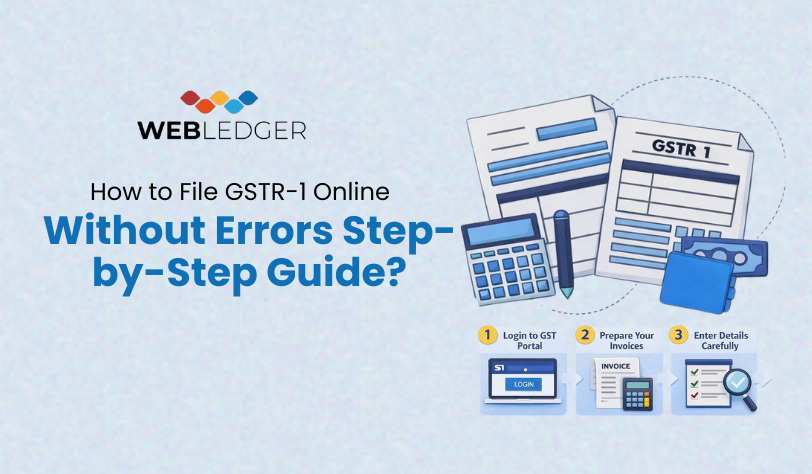
How to File GSTR-1 Online Without Errors Step-by-Step Guide?
You are aware that you have to fill GSTR-1, but the procedure seems like finishing the jigsaw puzzle with the missing puzzle pieces.
A single incorrect invoice can block your customer’s ITC until the error is rectified. One field out and you are sent a warning. Sound familiar? You’re not alone. In 2025 it is easier to file GSTR-1 online than at any other time- you are not required to know the correct procedures, all that you should do is not to fall into the usual traps of filing.
This guide will also take you through this step by step with real life tips and a checklist that will ensure you are on the right track and not make any mistakes.
What Is GSTR-1? And Why Does It Matter?
Your sales return is GSTR-1 that you are paying monthly or quarterly. It is where you record all your outward supplies sales to businesses (B2B), sale of high value to customers (B2C), export among others.
This is the data used by the government to monitor your sales, as well as by your customers to claim ITC. You need to file GSTR-1 (whether as a freelancer or a small shop owner) in case you are a registered taxpayer in India. Failure to meet a deadline or committing an error may result in penalties, blocked e-way bills or even a tax notice. Then, then, you see we must have it right.
Your Growth Starts with
Webledger
Webledger
Let’s Talk!
×
Verify Your Mobile Number
We have sent a 6-digit OTP to your WhatsApp Number
Please enter the OTP below to proceed.
Please enter the OTP below to proceed.
Enter OTP
OTP Sent 60s
GSTR-1 Filing Requirements (Online) : The 5-Minute Prep Checklist
It is easier to first prepare GSTR-1.
Here’s what you need:
- Your GSTIN and log in details (ensure that you have updated your mobile and email address).
- An assemblage of sales registers (all invoices, credit/debit notes, export details of the period).
- An operational DSC (Digital Signature Certificate) or e-signing of filing with the help of Aadhaar.
- A list of GSTINs of your customers (when issuing B2B invoices).
- Your accounting program (or Excel spreadsheet) (to reconcile data).
Take 5 minutes to gather these. It will save you hours of going to and fro on the portal.
Step-by-Step Process of Filing GSTR 1 Online
Step 1: Log in and choose your time
- Log in on the GST portal (gst.gov.in) using GSTIN, username and password. If you are a first time user then you need to create a username and password with the help of your GSTIN and OTP.
- After being logged in, go to the Returns section and choose GSTR-1.
- Select your financial year and tax period (month/ quarter) with which you are filing.
Note: When you are under the QRMP scheme, you will find choices of quarterly filing. Make sure that you are sure and proceed.
Step 2: Select your method of filing
There are two options on the portal:
- Prepare Online (type in data)
- Prepare Offline (add a JSON file with your accounting software).
To the majority of small businesses, it is the most convenient to prepare online.
- Click on prepare online and begin to key your data. In case you have many invoices, you may upload a file later with the offline tool.
Step 3: B2B Invoice details
This is the heart of GSTR-1.
- In the B2B invoices section, add all invoices that you have raised to registered customers.
- In each invoice, you have to fill in the GSTIN of the customer, the invoice number, date, the value of the taxable item and rate.
- Depending on whether the supply is intra- or inter-state, CGST, SGST, or IGST is automatically calculated using the portal.
Important: Check the GSTIN again, a single digit off and the ITC of your customer is blocked.
Note: If e-invoicing is applicable to your business, you will have auto-population of your B2B invoices based on the e-invoicing system but you should validate the information.
Step 4: Add B2C Invoices
Secondly, report B2C sales.
- Choose the state of delivery, a number and date of invoice, and indicate whether the sale has been conducted by the operator of the e-commerce.
- The portal is used to automatically calculate the tax liability.
This part is essential in the proper reporting by state and in preventing discrepancies.
Note: Inter-state B2C invoices above ₹2.5 lakh are reported invoice-wise. Other B2C sales are reported in consolidated form.
Step 5: Credit and Debit Notes
Credit and debit notes eliminate overbilling, underbilling or returns.
- Add notes placed on the book of registered and unregistered dealers.
- Connect the note with the initial invoice with entering the invoice number and date.
- Indicate the cause of the note and the value to be taxed.
- The portal approximates the tax impact.
Important: Missing on this step may cause demand notices and hence do not overlook this step.
Step 6: Exports and Amendments
- Add export invoices with shipping bill and port code, in case of an export of goods or services.
- In the case of amendments to the past periods, apply the sections of the amendments on B2B, B2C and export invoices.
Note: Amendments can only be done in subsequent returns, not after filing the same period which means that you have to maintain clean records.
Step 7: Other B2C, Nil-Rated, and HSN Details
- Remaining B2C sales, nil-rated, exempt and non-GST supplies are to be reported.
- Input HSN-wise sales of goods and services.
This provides the government with a single picture of your business and prevents the automated cross-checks with e-way bills.
Step 8: Preview, Submit, and File
- After filling all the parts, create a GSTR-1 summary.
- Download and preview the draft to check missing invoices, bad tax rates.
- Send submission, and file in DSC or EVC (OTP).
- On successful filing, you will be issued with an ARN ( Acknowledgement Reference Number).
- Once submitted, no amendments are possible, and thus verify everything.
Common Mistakes to Avoid in 2026
- Incorrect GSTINs or invoice numbers
- Missing B2C invoices
- Misclassification of goods/ services results in over/underpaid GST
- Late filing – Rs. 50/day (Rs. 25 CGST + Rs. 25 SGST) regular and Rs. 20/day nil returns
- Scrapping credit-note linkage
In Conclusion: File GSTR-1 Reviewed and Error-free
When you are done with the checklist, and continue to have problems with filing every month or quarter, get a free trial of Webledger and make GSTR-1 online filing a routine rather than a final fire drill.
Be compliant, keep your customers satisfied and you will not be fined.